8 Step Infographic Template free PDF and JPG
Free download · Choose the format you need
8-step-infographic-template.pdf
Or download single files
File details & tips
- PDF: print at "Actual size" (100%) to keep the exact dimensions.
Trouble downloading? Read our Download Guide.
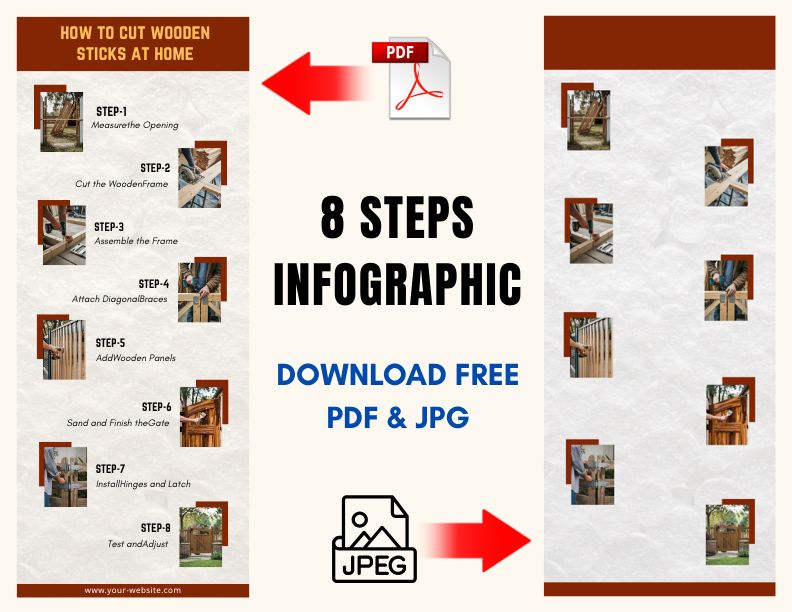
Here we have provided an “8 step infographic template” for download. This infographic is different from others because other infographics are either made by AI or they are so professional that anyone can tell you didn’t make them. We have provided the solution to this problem here.
We have got this infographic made by our graphic team. This will look completely natural and will not look copied from anywhere. The biggest thing is that this is being made available completely for free.
What you can make with 8 steps
Eight steps is a comfortable length for most processes. You can show a full process without the page looking crowded. Some ideas: the steps of a science experiment, how to apply for a scholarship, an employee onboarding checklist, a product launch plan, or the stages of a customer order from click to delivery.
Keep each step title to three or four words and put the detail in the text area below. If a step needs more than two lines, it is probably two steps.
Which file to use
You get two files. The JPG (600 x 1500 pixels) is the easiest to use in Canva, PowerPoint or Google Slides. Place it as a background and type your text on top. The PDF is a tall single page (about 8.3 x 20.8 inches) meant for printing. To print it on A4 or US Letter, choose “Fit to page”. For a wall chart, ask a print shop to print it at full size.
Making it look like your own work
Change the step colours to match your school or company colours. Add a small icon to each step, and put a title and your name at the top. Teachers and managers notice when a template has been made personal.
Terms
Your use of our printables is subject to our licensing terms .